David Bishop
Level Designer
Speed Racer
Role: Level Designer, Scripter
Duration: March 2026 (1 week)
Engine: Unity


Speed racer is a 2D racing game I developed after I graduated for fun and to continue to progress my Unity skills. I created this project over the course of one week, working on pitching, designing, and scripting a game that would be within scope for me to achieve.
I created a simple racing game with 2 tracks, 2 different vehicles, and a time limit to race against. The game has multiple different obstacles, oil slicks, and speed boosts to add difficulty and allow for more skill expression.
Goals:
-
Build and script a playable racing game prototype with a satisfying racing vehicle with multiple tracks and obstacles to dodge.
-
Create strong design documentation that includes pitch ideas I wrote down when concepting the idea for this project.
-
Further increase my design and Unity scripting skills and test myself on new or different ideas and mechanics.

Project Roles
-
Designed and laid out two different tracks of varying difficulties using a Unity tile map.
-
Implemented different obstacles like oil slicks and buildings that can damage or slow down the player.
-
Implemented speed boosts in strategic areas on the track to allow for fast drifting.
Level Designer
Scripter
-
Created numerous scripts for the project including car physics, obstacles, track timer, and more.
-
Scripted the car to feel like an actual racing car with drifting, braking, etc.
-
Implement different obstacles that can damage the car or spin it out of control.

The Design Process
I came up with the idea for this project one day while brainstorming game ideas I thought would be fun to create. I wrote down all of my cool ideas down before I started implementing them in Unity.
Brainstorming Ideas
-
I wrote down ideas on how to create a playable racing prototype in a 1 week time frame.
-
Inspired by racing games like Mario Kart.
-
Included multiple tracks, multiple race cars with stats, and track obstacles.


(Click to enlarge)
After I wrote down all my ideas I began searching and downloading free 2D assets I could use for this project including the tiles for the map, the player car and track obstacles, and UI assets.
Game Mechanics
-
Player Car: I scripted the player car to have realistic physics which include engine and braking sounds, tire screeching and tire marks, and drifting capabilities.
-
Track Obstacles: The player can run into obstacles that will slow them down or damage the car. There are repair tires in areas of the track to allow the player to repair damage to their car.
-
Race Timer: Each race has a timer to it, with the harder ones have less time to complete the race.
-
Multiple Tracks/Vehicles: I created an easy and a hard track, as well as a blue racing car and a black bike as playable vehicles which are selected from the main menu.


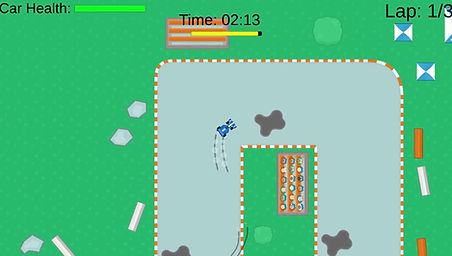

Track Layouts
I constructed both tracks using Unity's tile map feature and a free tile map pack I found online. I created the hard track first, with sharper turns, more obstacles placed in inconvenient locations, and less repair tires. I created the easy track as a last minute addition before the week was up to allow more variety when playing the game.
Easy Track

(Click to enlarge)
Hard Track

(Click to enlarge)
Scripting Tasks
Car Physics
I scripted the car to have realistic physics when controlling it. I included important features that I tuned over the course of many tests like max speed, acceleration, handling, and more. Part of my polish pass was adding in engine and braking sound effects, and tire screeching and skid marks when the player makes a sharp turn or brakes quickly.

Design Challenges
I spent a lot of time tuning different values on the player car to make it feel as realistic as possible. It was quite the challenge to add physics effects and make the car not feel floaty like they were a space ship in space. Braking feels intentional and realistic, slowing down momentum over time and allowing the cars turning and acceleration values to have an effect on it.
Checkpoint System
Each race is a race against the clock. To allow the game to keep track of this, I developed a checkpoint system. Each checkpoint must be hit in order for a lap to be count as complete, and the race will only finish once 3 laps have been completed.

Design Challenges
Designing the right system for the player to race against was a hard decision. If I created enemy racers the game would most likely be completely out of scope for the week I wanted to create this game, so I went with a much more simpler race timer. The checkpoint system I thought was a good way to make sure a lap had been completed by the player, other methods I had thought of might allow potential cheating by going off road and using shortcuts when I didn't want them to.
Obstacles
To increase the game difficulty, I created a few different obstacles that would have an effect on the car.
-
Oil slicks: These slow down the car drastically and severely increase the turning variable on the car, with the slightest touch to a turning input that would make the car spin around very quickly.
-
Off-track Obstacles: Obstacles that are around the track edge that can be driven into that will damage the player car.
-
Repair Tires: These tires can be driven over to repair damage to the player car.
-
Speed Boosts: Give the player a large boost of speed when driven over.
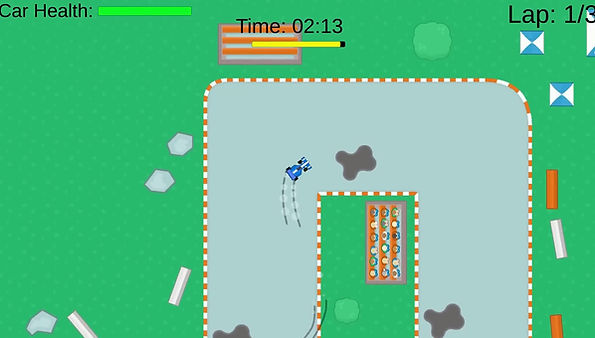
Script Screenshots
These are screenshots from the scripts I wrote for the car physics, checkpoint system, obstacles, and more.


(Click to enlarge)
Final Build Screenshots


